

sale
21 September 2023
How to sale product
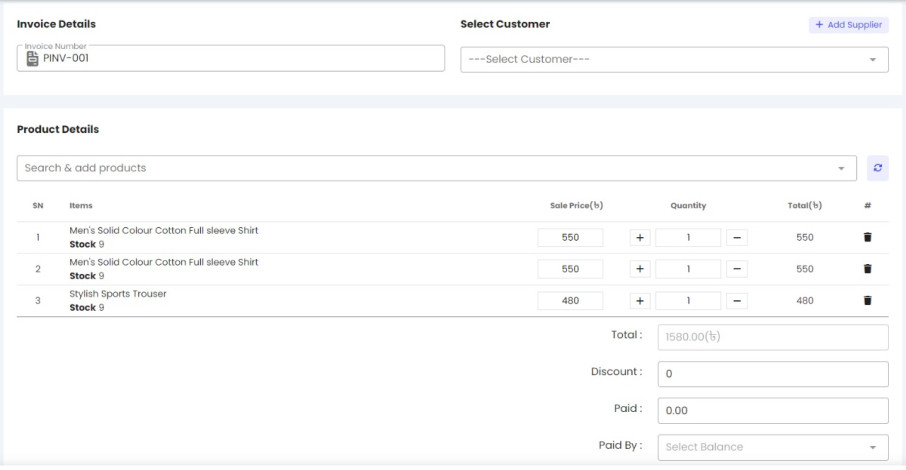
login to your account panel. go to add sales from the sales menu.
now click on the add sales button. Here you will find the sale data insert page. submit the customer information and product information. receive payment by using the paid field and selecting the account balance